
BEMS powered by Inspec
Discover BEMS — a web-based system for managing roofs, walls, windows, and leaks. Track inspections, map photos with GPS, and export building envelope data instantly
BEMS is Inspec's building envelope management system: one secure place where building owners and facility managers can see the condition of their roofs, walls and paved areas, report leaks, and follow each repair until it is fixed.
Sign in to BEMS | Request access for your team
What BEMS is
Each time Inspec surveys your buildings, what we find goes into BEMS, so the condition of your building envelope lives in one place instead of in old reports and email threads. Leak reports, warranties and repair records are added as they happen, building one running record you can open whenever you need it.
BEMS runs in a web browser on a computer, tablet or phone. There is nothing to install.
What BEMS does for building owners and facility managers
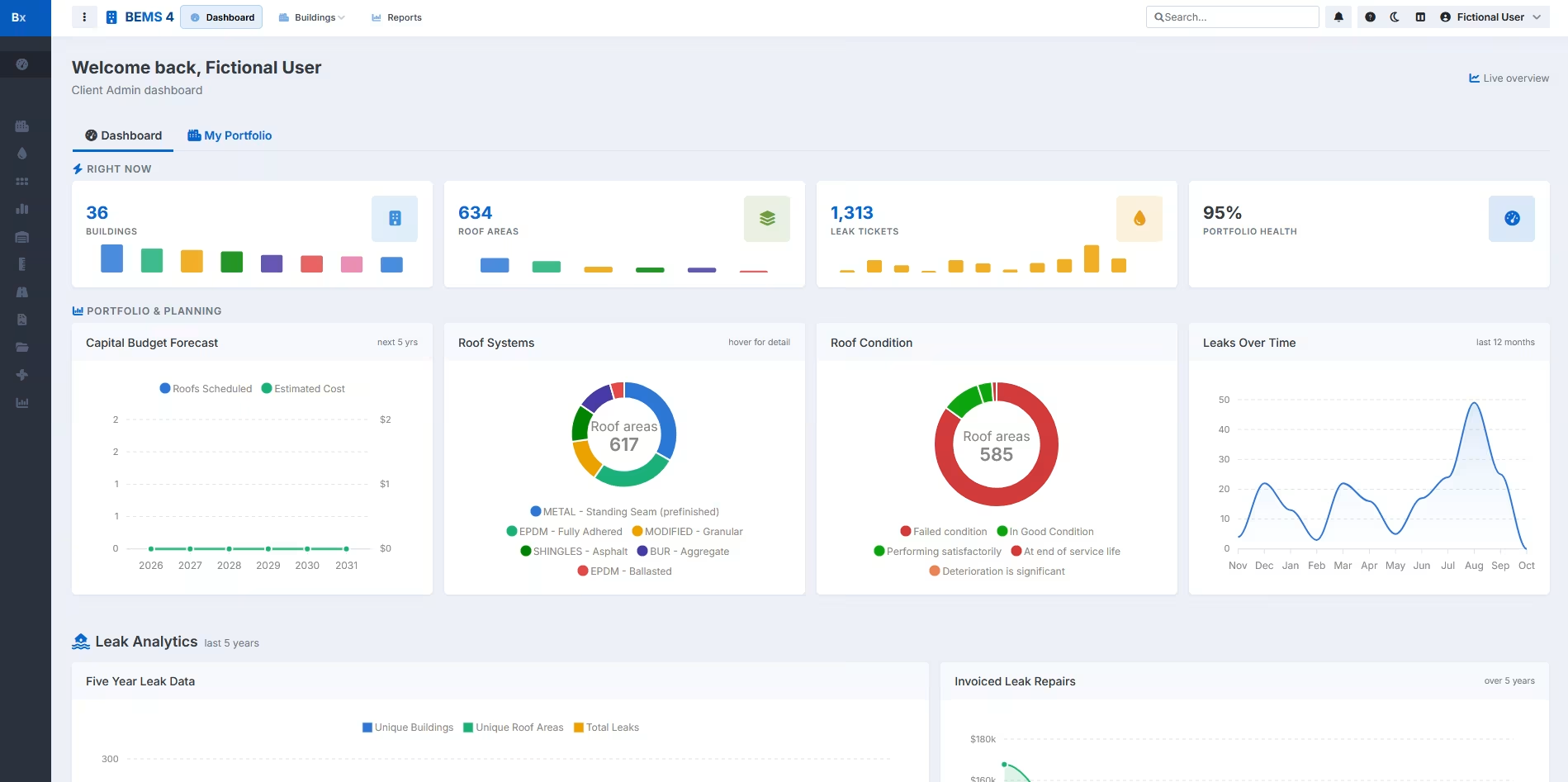
See your whole portfolio at a glance
One dashboard shows where every building you manage stands, and each building is one click away.
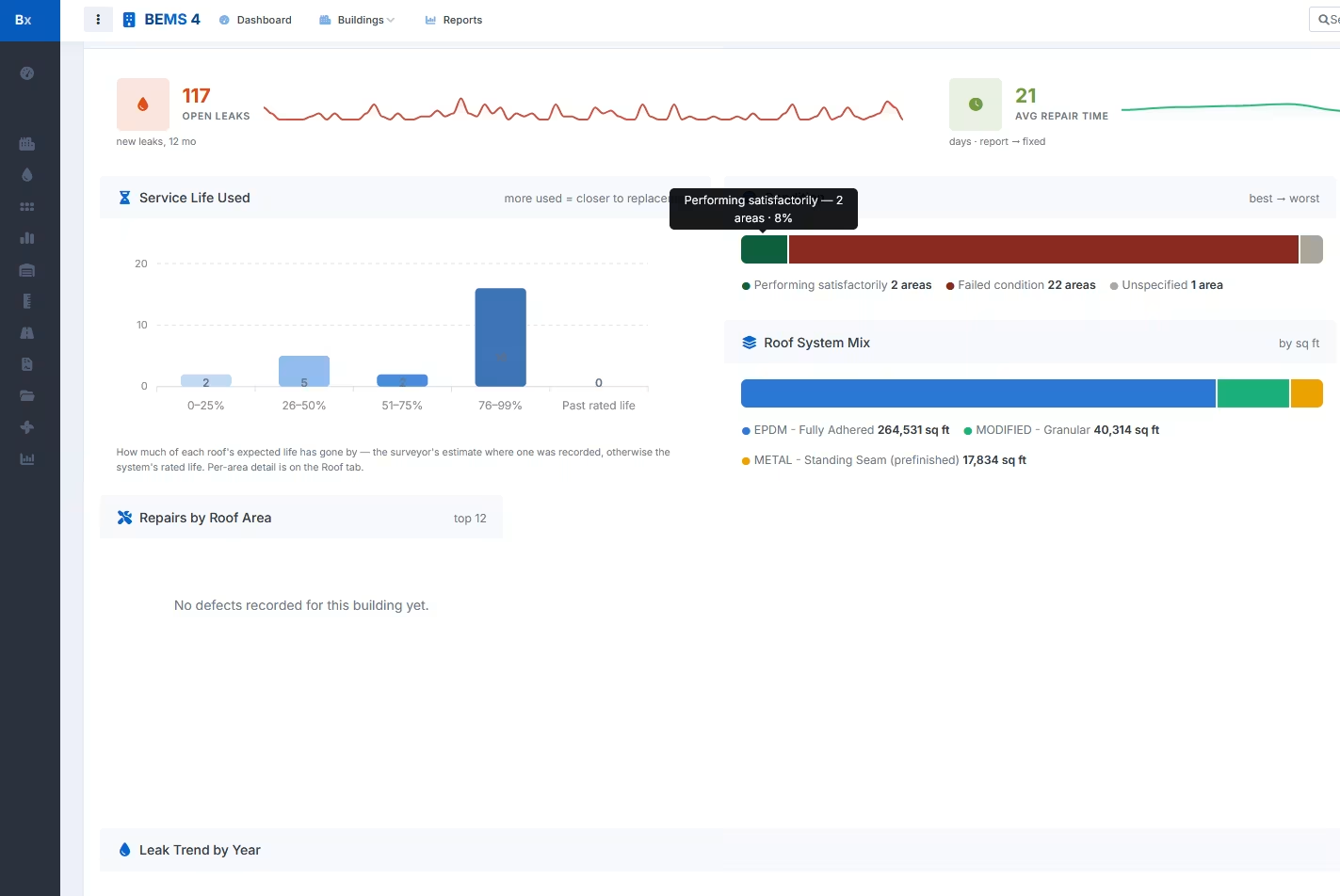
Keep the full record for every building
Roofs, walls, paved areas, survey photos, documents and leak history are kept together for each building, so the answer to "what do we know about this roof?" is in one place.
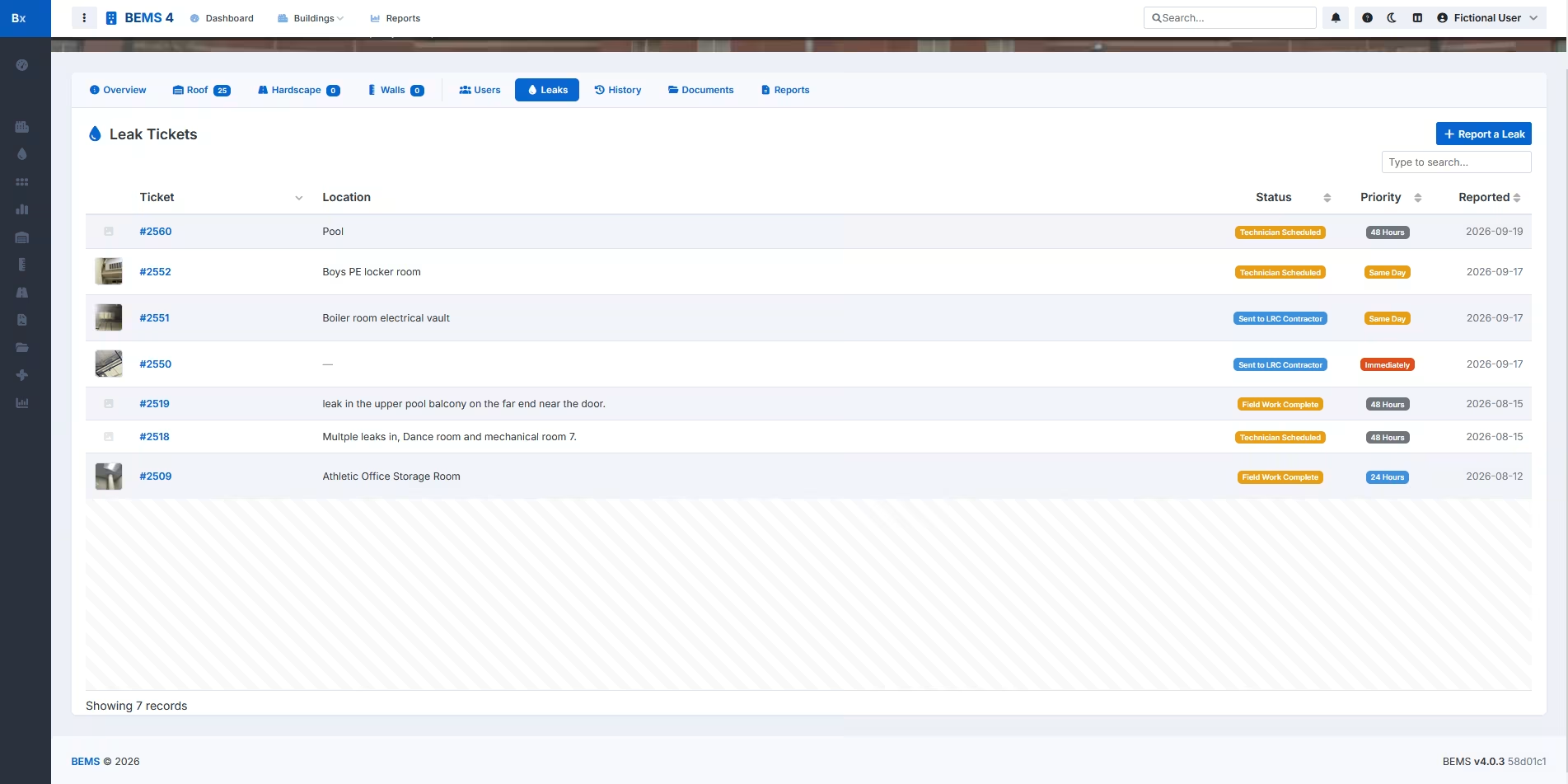
Report leaks and follow them to the finish
Report a leak from your desk or from your phone, with photos, and follow it until the repair is done. Your contractor's updates and paperwork stay with the ticket, so the history is there the next time that roof comes up.
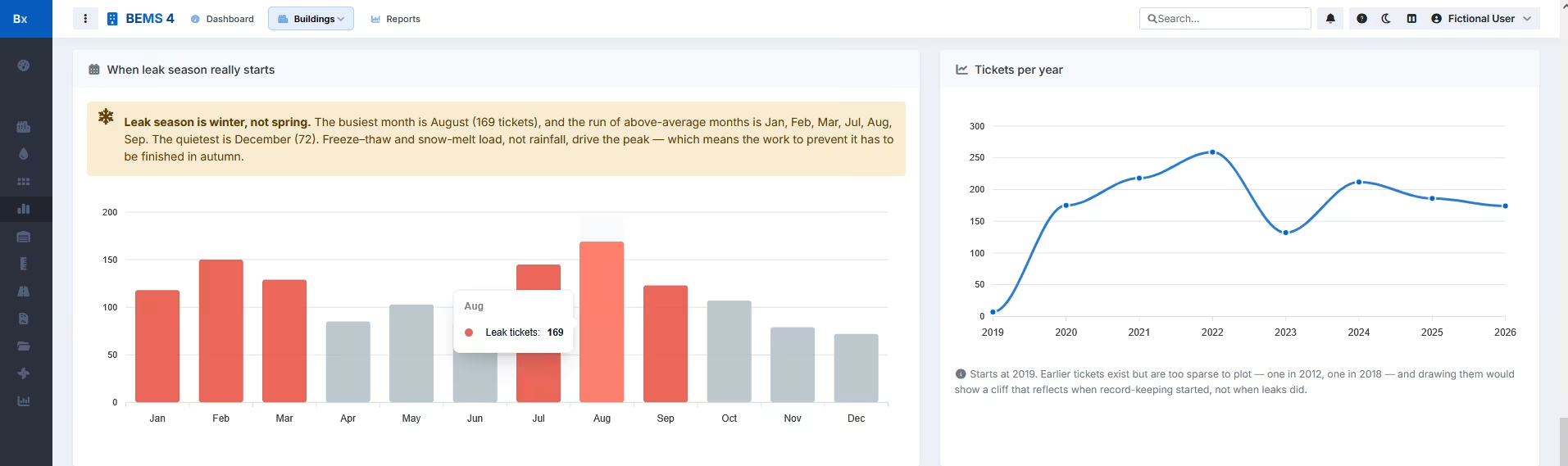
Spot the buildings that need attention
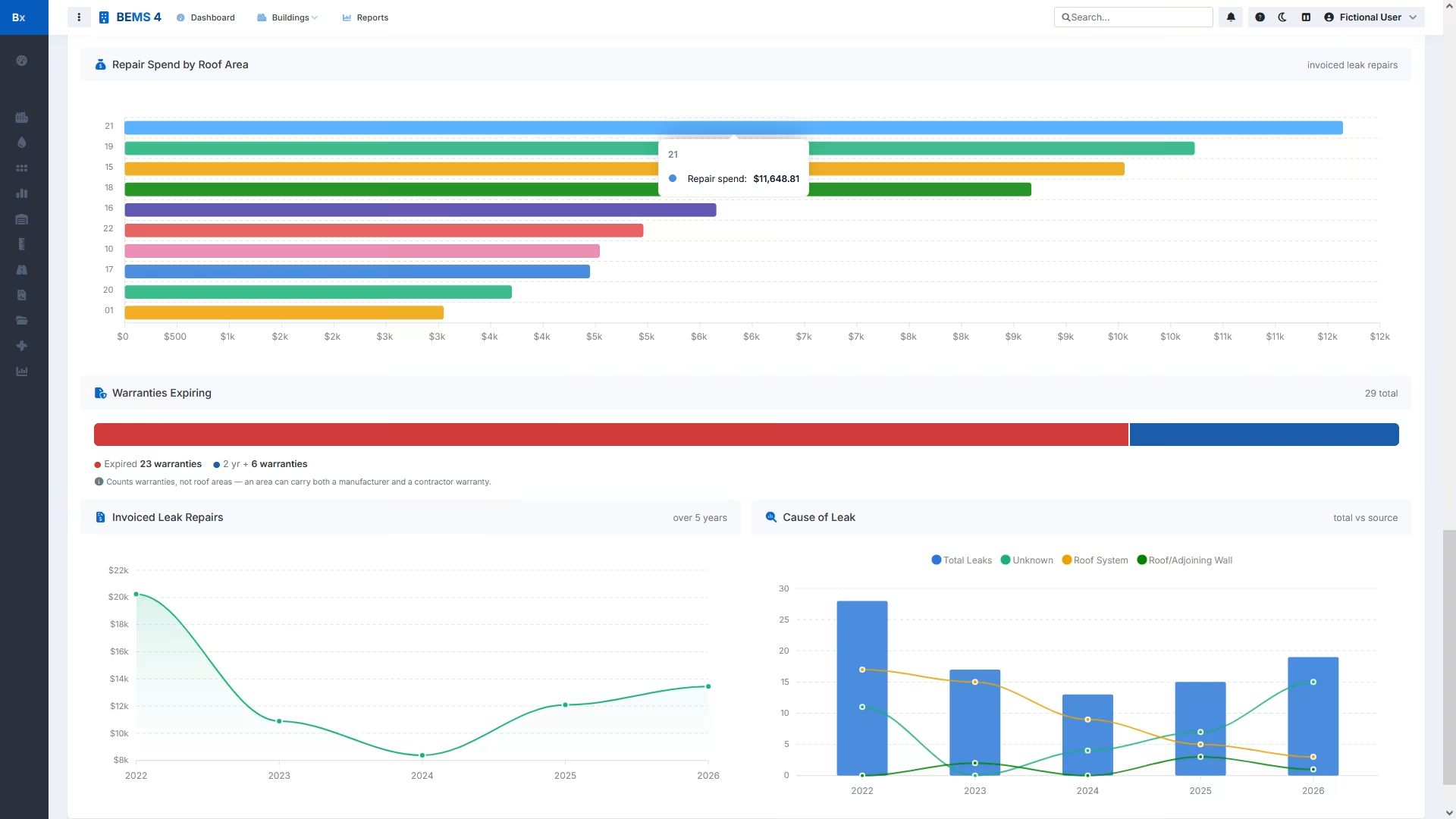
Leak trends across your portfolio show which roofs cause the most trouble and when, so you know where to look first.
Plan budgets and keep track of warranties
Roof ages, condition ratings from Inspec's roof condition assessments and warranty dates help you plan replacements and budget ahead. Reports print, save as PDF or export to Excel when you need them for a meeting or a board.
For roofing contractors
Contractors who handle leaks for an Inspec client get their own login. They see only the buildings they are assigned to, and their updates, photos and paperwork go straight onto the ticket, so owners spend less time chasing a status.
Getting started with BEMS
BEMS logins are set up by Inspec. If you are already an Inspec client, contact your Inspec office to set up access for your team and your contractors. If you are new to Inspec, talk to a consultant about a roof survey. Every building in BEMS starts with one.
Already have a login? Sign in at bems.inspec.com.
Further reading
From the technical library
- Facilities Engineering "Be Proactive to Find Problems With Your Building Envelope"
- Facilities Engineering "Computerized Roof Management Saves Money"
- Facilities Engineering “Beyond 20 Year Low-Slope Roof Performance”
- Plant and Facilities Management & Engineering "Roofer Program Analyzes Built-up and Single-ply Installations"